Super Story Downloader
- 3.5
- Rating
- 100.00K
- Installs
- Free
- Price

 Analysis by App-foxy
Saving a story, reel, photo, profile image, or video usually sounds simple until the normal app leaves you searching through menus, taking screenshots, or losing track of where a file went. Super Story Downloader is built around that practical problem. I found it most useful as a focused media-saving tool for people who regularly want to keep short-form content on their phone for later reference, offline viewing, or personal organization.
The app is free to install, although it includes optional in-app purchases ranging from $1.99 to $19.99 per item. It is listed for mature users aged 17 and above, so I would not treat it as a children’s utility. Its Android compatibility starts with version 7.0, which makes it accessible on many older phones as well as newer devices. The current release is version 1.87, and the app has built a user base of over 100 thousand installs with an average score of 3.5 from around 1.2 thousand ratings.
That middle-of-the-road rating tells me exactly how to approach it: this is not a polished all-purpose video editor, nor does it replace every platform’s own saving tools. It is a specialized downloader whose value depends on how consistently you save social media content and how much patience you have with the occasional friction that comes with this kind of utility.
You May Also Like

 Blood Strike: 2.5 Anniversary
Blood Strike’s Loadouts Turn Every Drop Into a Tactical Gamble
A close look at Blood Strike’s custom loadouts: how fast access to signature weapons reshapes its battle royale rhythm, rewards preparation, and narrows the gap between fights.

 Pandora - Music & Podcasts
Pandora’s Music Is Easy to Start, but Harder to Recover
Pandora’s strength is its low-effort path from a seed to a station. Its weak spot is how much confidence it asks you to place in connection, setup, and quiet recovery.

 8 Ball Pool
 Is Built on Rivalries, Rematches, and Routine
A close look at the rivalries, rematches, shared routines, and unanswered safety questions that turn a quick pool match into a persistent mobile community.

 Samsung Music
’s Quiet Strength Is Playing What You Already Own
Its reach comes less from spectacle than from dependable access to a personal library. That simplicity is both the app’s strongest retention engine and its ceiling.

 AccuWeather: Weather Radar
AccuWeather Review: A Quick, Clear Forecast for Everyday Decisions
For everyday plans, the best forecast is the one you can understand quickly. AccuWeather makes rain timing, radar, and local conditions easy to act on, with a few trade-offs.

 Hill Climb Racing
Why Hill Climb Racing Still Turns Crashes Into One More Run
A tiny car, a bumpy hill and one more upgrade: Hill Climb Racing keeps resurfacing because its simple chaos makes every near-miss feel personal.
More From Our News Desk
View All News


How I use it for a dependable saving routine
I keep the routine deliberately small: choose one item, save it, then confirm it appears where I expect before moving on. In this section, I focus on making that sequence reliable even when I’m switching between a social app and the downloader, rather than trying to rush through a batch. That simple check also makes it easier to spot whether a snag is tied to the source or the phone.
The basic workflow is straightforward when the source is ready
My normal routine starts before opening the downloader. I first locate the story, reel, image, video, or profile picture I want to keep, then use the platform’s sharing or copying option when available. From there, I move into Super Story Downloader and follow its saving flow. This small preparation step matters because a downloader is only as reliable as the source reference it receives; switching between apps without first identifying the exact item can lead to saving the wrong post or repeating the process.
The app’s main appeal is that it brings several related tasks into one place. Instead of using one method for stories, another for reels, and a screenshot for profile images, I can approach them through the same general tool. That makes it particularly convenient for someone collecting reference material, keeping a personal archive of temporary posts, or saving clips to watch again when connectivity is poor.
I would still separate personal archiving from redistribution. Saving something for my own viewing is a different use from reposting it, editing it into a new video, or sharing it publicly. The original creator may have rights over the material, and a download button does not automatically grant permission to reuse it. For that reason, I use the app as a personal convenience rather than as a way to build a content library for publication.
Where the saved files become part of the experience
A successful download is only half the job. I also check the phone’s gallery or file manager afterward so I know where the item landed and whether it has the expected name or thumbnail. This is one of the most useful habits with Super Story Downloader because saved media can become difficult to find when several clips arrive in quick succession.
For everyday organization, I recommend creating a simple folder for saved social media items and moving important files there after downloading. I do not leave everything in the default location indefinitely. A folder for recipes, another for travel ideas, and a temporary folder for clips I may delete later makes the app much more practical than repeatedly scrolling through a crowded gallery.
This also helps with storage. Short videos accumulate quickly, especially when I save several versions of similar content. I periodically review the folder and remove duplicates, blurry files, and items that no longer have a purpose. The app can make saving easier, but it cannot replace a sensible cleanup routine.
A realistic day-to-day example
Imagine finding a short cooking demonstration in a story that will disappear before dinner. I would open the content, prepare the share or copy step, send it through the downloader, and then move the saved result into a recipe folder. Later, I could watch it without searching through the original account again. If the clip contains instructions I need only once, I would delete it after cooking rather than allowing a single-use download to remain permanently on the phone.
The same workflow works for a travel creator’s short location guide or a profile image I need to inspect while organizing contacts. The important point is that the app is most helpful when it supports a repeatable habit. It saves time across many small tasks, but it does not transform an occasional download into a major advantage.
Settings, shortcuts, and habits that make it less frustrating
When a routine still feels clumsy, I look for small adjustments that reduce repeated decisions instead of assuming there is a hidden shortcut. Here I cover how I approach the app’s available controls, file sorting, and timing, while keeping changes reversible and testing one save before relying on them. Those habits help distinguish a genuine improvement from a setting that merely adds another step.
Check the practical options before saving a large batch
When I install a downloader, I do not immediately begin collecting files. I first look through its available settings and screens to understand how it handles storage, notifications, and the download destination. Options can change between releases or devices, so I avoid assuming that a control works exactly like one in another downloader. The useful principle is simple: find the controls that affect where files go and how much interruption the app creates, then leave the rest alone unless a problem appears.
I also check whether the phone has enough free space before saving several videos. A failed download can look like an app problem when the real issue is limited storage. On older Android devices, keeping some free room is especially important because gallery indexing and temporary files may compete with the saved media.
My strongest practical tip is to test one small item before starting a batch. A single photo or short clip confirms that the source, destination, and permissions are behaving as expected. It is much better than discovering after ten attempts that the selected account, link, or folder was not handled correctly.
Use a consistent naming and sorting habit
Even if the app saves files with automatic names, I treat the first few downloads as a chance to learn its filing pattern. I look at whether items appear in the gallery immediately, whether they are grouped in a dedicated folder, and whether the phone’s file manager shows them more clearly than the gallery. Once I know the pattern, I use it consistently instead of changing locations every time.
For people who save content frequently, a weekly review is more useful than constant manual sorting. I keep items that have a clear purpose, move valuable ones into named folders, and remove the rest. This habit reduces the main hidden cost of downloader apps: not the download itself, but the clutter that follows it.
Build a two-step shortcut rather than rushing every download
The fastest reliable pattern I found is not simply tapping as quickly as possible. It is reducing decisions. I choose the content, copy or share it, open the downloader, save it, and immediately confirm the result. Repeating the same sequence prevents mistakes and makes it easier to notice when a platform changes how its content is shared.
If I am collecting several items from the same source, I handle them in one session and then sort them together. If I only need one file, I finish the entire process immediately, including checking the destination. Mixing half-finished downloads with unrelated phone tasks is how files get forgotten.
Know when the usual alternative is better
For a single image, a platform’s built-in save feature may be quicker and cleaner, especially when I only need to bookmark the post rather than store a local copy. For my own photos and videos, the phone’s gallery or cloud backup is usually the safer choice. For editing, a dedicated video editor is clearly more appropriate because Super Story Downloader is designed around obtaining media, not producing polished projects.
Screenshots also have a place. If I need to capture a small piece of text or a visual reference and image quality is not important, a screenshot can be faster. The downloader becomes more worthwhile when I need the original media format, want to save reels or videos, or regularly handle several types of social content.
Limits that experienced users should understand
A dependable routine can reduce avoidable mistakes, but it cannot remove the limits of saving content from another service. In this section, I separate issues a user can reasonably manage—such as choosing the correct item and keeping files organized—from cases where another tool or the source platform’s own option is the better fit. That distinction helps experienced users set realistic expectations before making this downloader part of their workflow.
Dependence on the source can interrupt an otherwise simple process
The biggest limitation is that the app does not control the platform where the content appears. A story may expire, a post may become private, a link may stop working, or the platform may change how sharing is handled. When that happens, repeating the same tap sequence will not necessarily solve the problem. I first confirm that the content is still visible and that I am using the correct source reference before blaming the downloader.
This is also why I avoid promising myself that every item can be recovered later. If something matters, I save it while it is available and organize it immediately. Waiting until a temporary post is nearly gone makes the workflow more fragile.
Privacy and account safety deserve attention
I am careful about entering account credentials into any third-party downloader. My preferred workflow uses the content’s normal sharing or copying route rather than handing over a password. I also avoid saving sensitive material on a shared device and review what remains in the gallery after I finish.
The mature age classification is another reason I would keep this app away from unsupervised children. The rating does not tell me that every saved item is inappropriate, but it does signal that the tool should be used with adult judgment, particularly because it can handle material from social platforms where content varies widely.
Free access does not mean unlimited convenience
The free entry point makes it easy to try the workflow without committing money. However, optional purchases are present, and the listed range reaches from $1.99 to $19.99 per item. I would not buy anything immediately. I would first use the free experience long enough to decide whether the app genuinely saves me time, then check what a purchase changes before paying.
This is especially important for occasional users. If I download one image every few weeks, the free version may already cover my needs, while a frequent collector may value additional convenience enough to consider an upgrade. The right decision depends on usage rather than on the app’s download count or rating.
It is not a replacement for a proper archive
Super Story Downloader helps me acquire files, but it does not turn them into a well-managed media archive by itself. I still need to label important items, back them up, and remove duplicates. I also do not rely on it as the only copy of something valuable. A phone can be lost, storage can fail, and an app update can change the way files are handled.
For professional content work, I would choose a workflow with explicit permissions, dependable backup, and editing tools. For casual personal saving, this app is more suitable. That distinction prevents disappointment: it is a convenience layer for social media media, not a complete production or asset-management system.
Who should use it and who should skip it
I would recommend it to someone who frequently saves stories, reels, videos, photos, or profile images and wants one dedicated place to handle those tasks. It is also a reasonable option for users with an older Android phone because support begins with Android 7.0. People who enjoy repeatable routines will get more from it than users who download something only once.
I would skip it if my main goal were video editing, cloud synchronization, professional archiving, or guaranteed access to private content. I would also choose a platform’s own bookmark or save function when local storage is unnecessary. In those cases, adding a downloader creates another step instead of removing one.
My verdict after settling into the workflow
After looking past the simple promise of saving media, I see Super Story Downloader as a useful but situational Android utility. Its strength is concentration: stories, reels, videos, photos, and profile images are treated as related saving tasks instead of separate problems. That makes it convenient for people who repeatedly preserve short-form content for personal use.
Its weaknesses are equally clear. The process depends on the source remaining accessible, downloaded files need manual organization, and the presence of optional purchases means I would inspect the upgrade path before spending money. The average score of 3.5 reflects a tool that can be helpful without being universally smooth.
My recommendation is to try it as a focused downloader, not as an all-in-one media solution. Start with one harmless test file, confirm where it is stored, establish a folder habit, and only then decide whether it deserves a regular place in your routine. For frequent personal saving, that disciplined approach makes the app worthwhile. For editing, backup, or occasional bookmarking, the alternatives already built into the phone or social platform may be the better fit.
The app is developed by Instant Reels Story Downloader Team, and its free availability makes experimentation low-risk as long as I remain mindful of storage, privacy, permissions, and content rights. Used with those boundaries, Super Story Downloader does what I expect from a specialized media-saving app: it shortens a repetitive task, while leaving the important decisions about organization and responsible use in my hands.
FAQs for Super Story Downloader
01What is Super Story Downloader and what can it do?
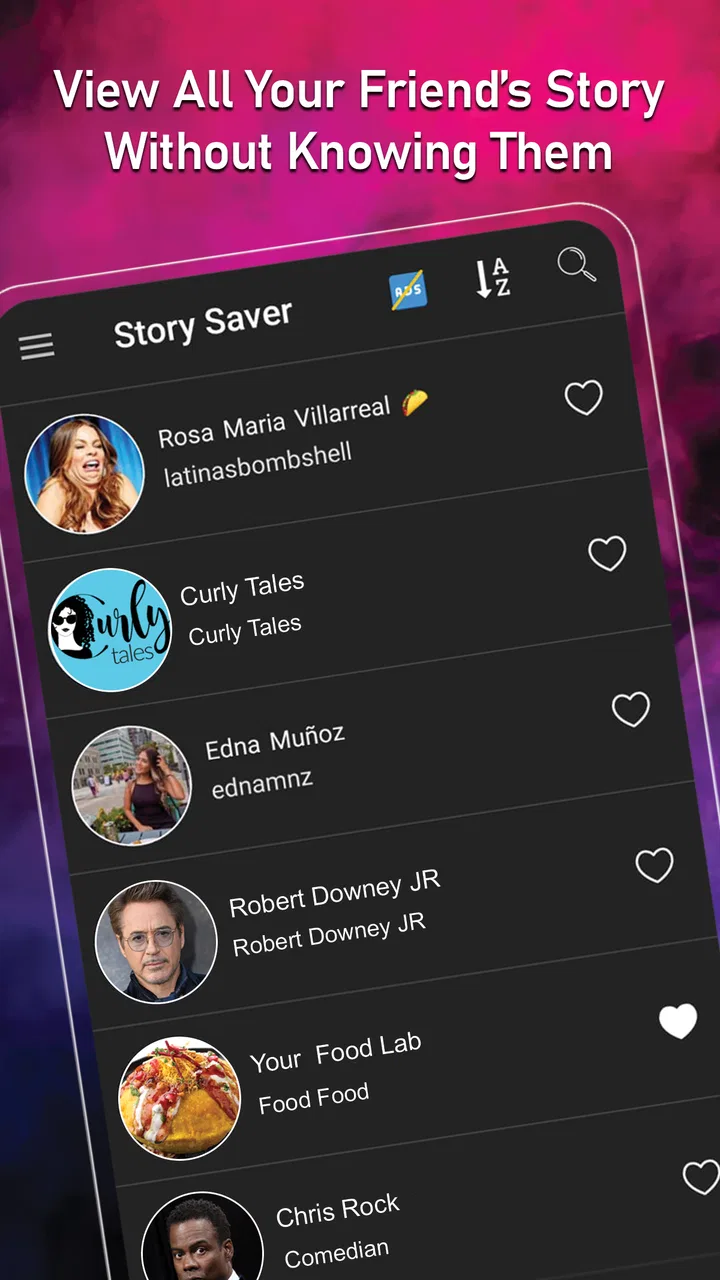
Super Story Downloader is an app designed to help users save temporary stories and status updates from supported social media platforms to their device. After granting the required permissions, you can browse available media, select photos or videos, and download them for offline viewing. Its exact features may vary depending on the platform, app version, and your device’s operating system.
02How do I download a story or status with Super Story Downloader?
Typically, you first view the story or status in the original social media application, then open Super Story Downloader and allow it to scan the relevant media folder. Available photos and videos should appear inside the downloader, where you can preview, select, and save them. The process may differ between Android and iOS because each system handles app storage and permissions differently.
03Is Super Story Downloader safe to use and what permissions does it require?
Before using Super Story Downloader, review the permissions requested during setup. A downloader may need access to photos, videos, files, or device storage to detect and save media. Only grant permissions that appear necessary for its features, and download the app from a reputable source. Avoid entering social media passwords into third-party tools, and check the privacy policy before saving personal content.
04Can I download stories without the original poster knowing?
The app may save publicly visible story media without sending a download notification, but this should not be treated as a guarantee. Social platforms can change their privacy rules, tracking methods, or notification behavior at any time. Always respect the original creator’s privacy and copyright. Ask for permission before reposting, editing, or sharing downloaded photos and videos outside your personal use.
05Why is Super Story Downloader not showing available stories or saving files?
Several issues can prevent the app from detecting or downloading media. The original story may have expired, the required storage permission may be disabled, or the social media app may have changed its folder structure. Low storage space, unsupported file types, privacy restrictions, and an outdated downloader can also cause problems. Restart both apps, check permissions and storage, and install updates before trying again.
Pros
- Downloads stories quickly with a simple
- beginner-friendly interface.
- Supports saving content for offline viewing after downloading.
- Useful for keeping favorite stories available beyond their original posting period.
- Lightweight design that is easy to navigate on most modern devices.
- Provides a convenient way to organize downloaded story media locally.
Cons
- Compatibility may vary depending on the social platform and device model.
- Some downloads can fail when stories are private
- expired
- or restricted.
- Saved media may use considerable storage
- especially with frequent video downloads.
- The app may require access to photos
- media
- or files to save downloads.
- Features and reliability can change when supported platforms update their systems.

Super Story Downloader
Gallery